What is personnel performance
Personnel performance is how an employee fulfils the duties of their role, completes required tasks, and behaves in the workplace.
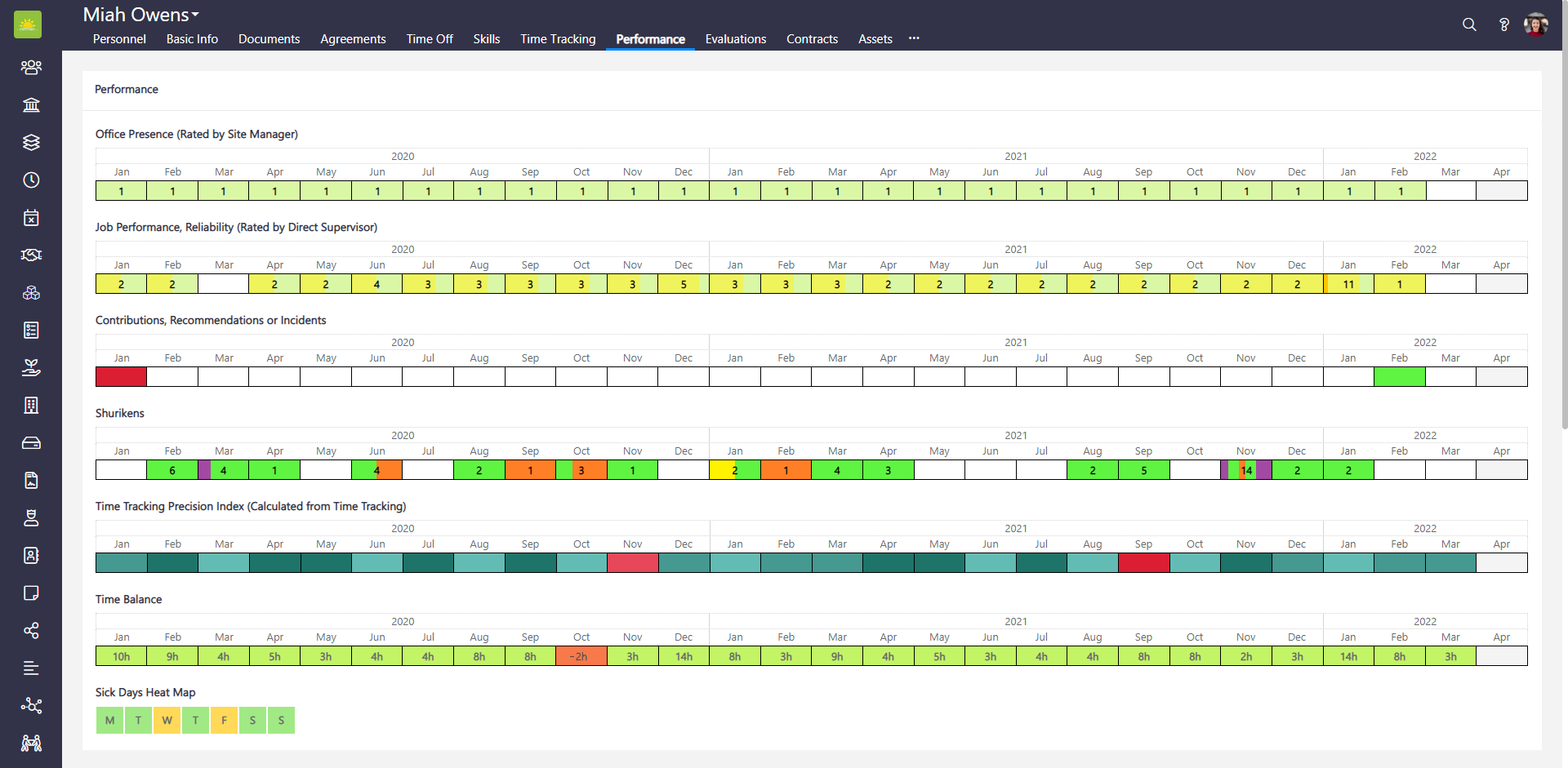
Vault Synapse's personnel performance tool allows you to view personnel’s performance ratings and comments history leading up to the current month. The scope of performance includes office presence, job reliability, contributions or incidents, the number of received tokens, time tracking precision index, time balance, and sick days heat map. The ratings are color coded which means you can view with a glance where the personnel is performing best and which areas need improving. Click on any of the fields containing data to view more details. Depending on the level of your access rights, you can add, edit, or delete contributions from here or delete tokens or job performance entries from here. A stats graphic above the ratings grid represents how the personnel’s pay compares to the company median and position median over a given period. If you want to learn how well the personnel are performing, you can view all this information with a mouse click.
To view information about personnel performance, go to the Personnel module and click the Performance tab inside a personnel's page.
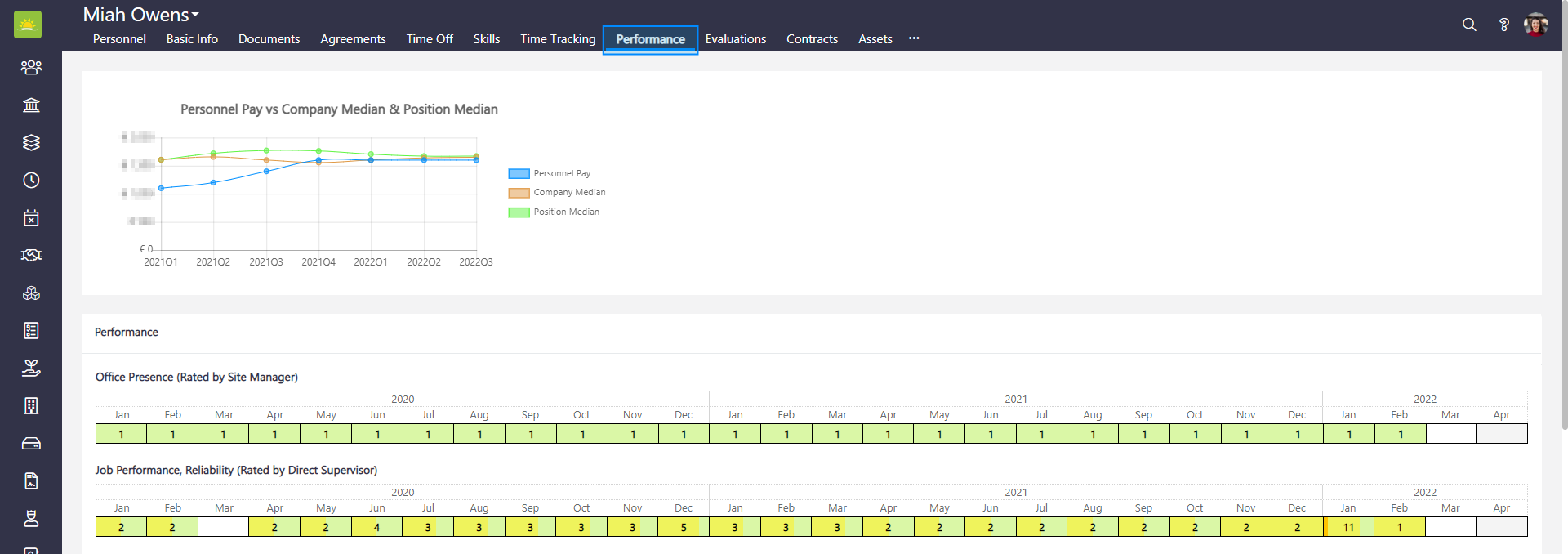
You can view the following performance information about the personnel:
- Office Presence (Rated by Site Manager) – This shows the general behavior in the office, employee's work attendance, adherence to rules, professional attitude, employee's respect for colleagues, whether their behavior is counterproductive, etc. Click the link to find out more about Evaluations.
- Job Performance, Reliability (Rated by Direct Supervisor) – This shows work ethic, productivity, skill, helpfulness, professionalism, teamwork, overall contribution, etc. Click the link to find out more about Evaluations.
- Contributions, Recommendations or Incidents – This shows productivity, skill, helpfulness, professionalism, teamwork or overall contribution to successfully completed projects, milestones or achieved goals. Contribution can be also negative. For example, if a ratee caused an incident that affected the work progress.
- Tokens – This is a summary of all the tokens the personnel received during a given month from their colleagues. This cannot be changed or edited, instead it’s automatically added. Click the link to find out more about Tokens.
- Time Tracking Precision Index (Calculated from Time Tracking) – The TTPI shows you time tracking habits. The precision index values are represented in blue and red shades – pale blue for "acceptable/ok”, light blue for “very good”, teal for “excellent”, and red for “alarming.
- Time Balance – Shows you whether the personnel completed, exceeded, or failed to work their contracted hours in any given month over a period. Blank fields mean that time balance is precise as it should be. Overtime hours are displayed on a green background, and not fulfilled hours will show a negative value on a red background. A correctly booked time off/sick absence will not negatively affect the time balance value.
- Sick Days Heat Map – This tool allows for monitoring any regularity in sick days. Sick Days Heat Map follows personnel’s sick days history since the beginning of their employment.
Note! Vault Synapse is a highly customizable tool meaning certain parts and functionalities of the application can be additionally built-in or customized based on your business needs and preferences.
Note! A user can access the personnel evaluation only with the relevant permissions/access rights given by the administrator.
Didn’t find what you were looking for?
Contact us and we’ll build the right solution for you. Vault Synapse can be fully customized based on your business needs.